 Get STRyNG
STRyNG / CONNECTED-LOCATION, IN EVERYDAY LIFE
Location reminders.
Right where
life happens.
Remember when you can do something about it.
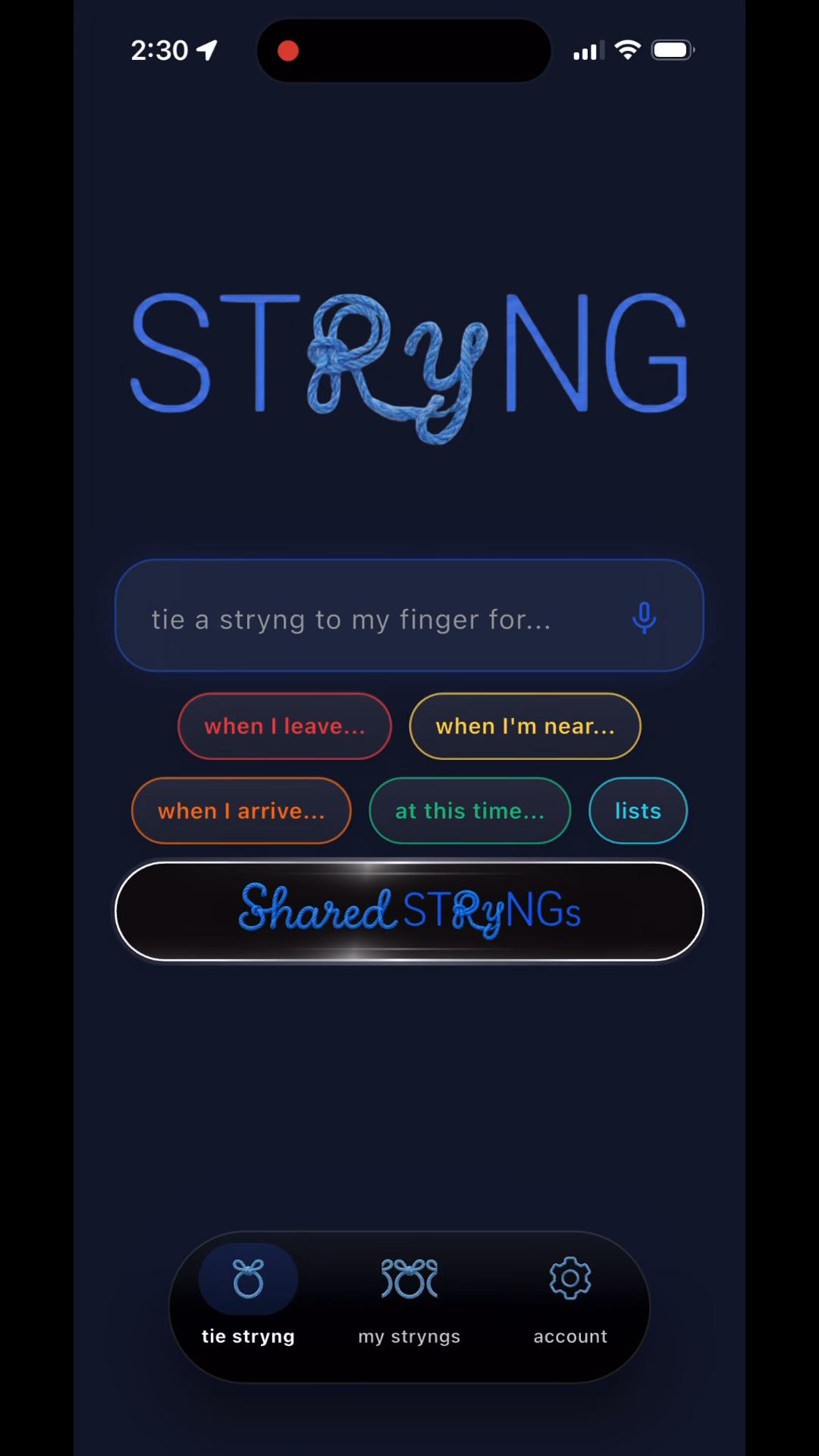
Location-based reminders connect a task to a place instead of only a time. With STRyNG (pronounced “string”) for iPhone, get a nudge when you’re nearby, arriving, or leaving—and keep personal and shared plans connected.
Intelligent location. Designed with battery life and privacy in mind.
01 / A PLACE FOR WHAT’S ON YOUR MIND
Three ways to meet
the moment.
Choose the location reminder that fits what you need to do. Nearby, arrival, and departure each connect your plan to a different moment.
“Pick up coffee
while I’m nearby.”
Use a nearby reminder for an errand you can tackle while you’re in the area. Tie it to the shop, so you get a nudge while the stop is relevant to your day.
“Remind me when
I get home.”
Use an arrival reminder for a task you can do at your destination. Think of something while you’re out, then reconnect with it as you get home.
“Call Alex
when I leave work.”
Use a departure reminder when leaving a place is your cue for what comes next. Tie the call to leaving work, rather than guessing what time you’ll finish.
02 / FROM THOUGHT TO STRYNG
How to set a
location reminder
in STRyNG.
Start with one thing you want to remember. Connect it to the place where it becomes useful.

Write the thought.
Open STRyNG and enter what you want to remember in the “tie a stryng to my finger for…” field. For example, “put the laundry in” or “pick up coffee.”
Choose the moment.
Select “when I’m near…,” “when I arrive…,” or “when I leave…” to match the kind of nudge you want.
Tie it to a place.
Choose the relevant location, such as home, work, or a shop, then finish creating your stryng. The place and trigger connect your reminder to when you can act on it.

03 / A LITTLE LESS “DID YOU DO THAT?”
Shared location reminders.
One connected plan.
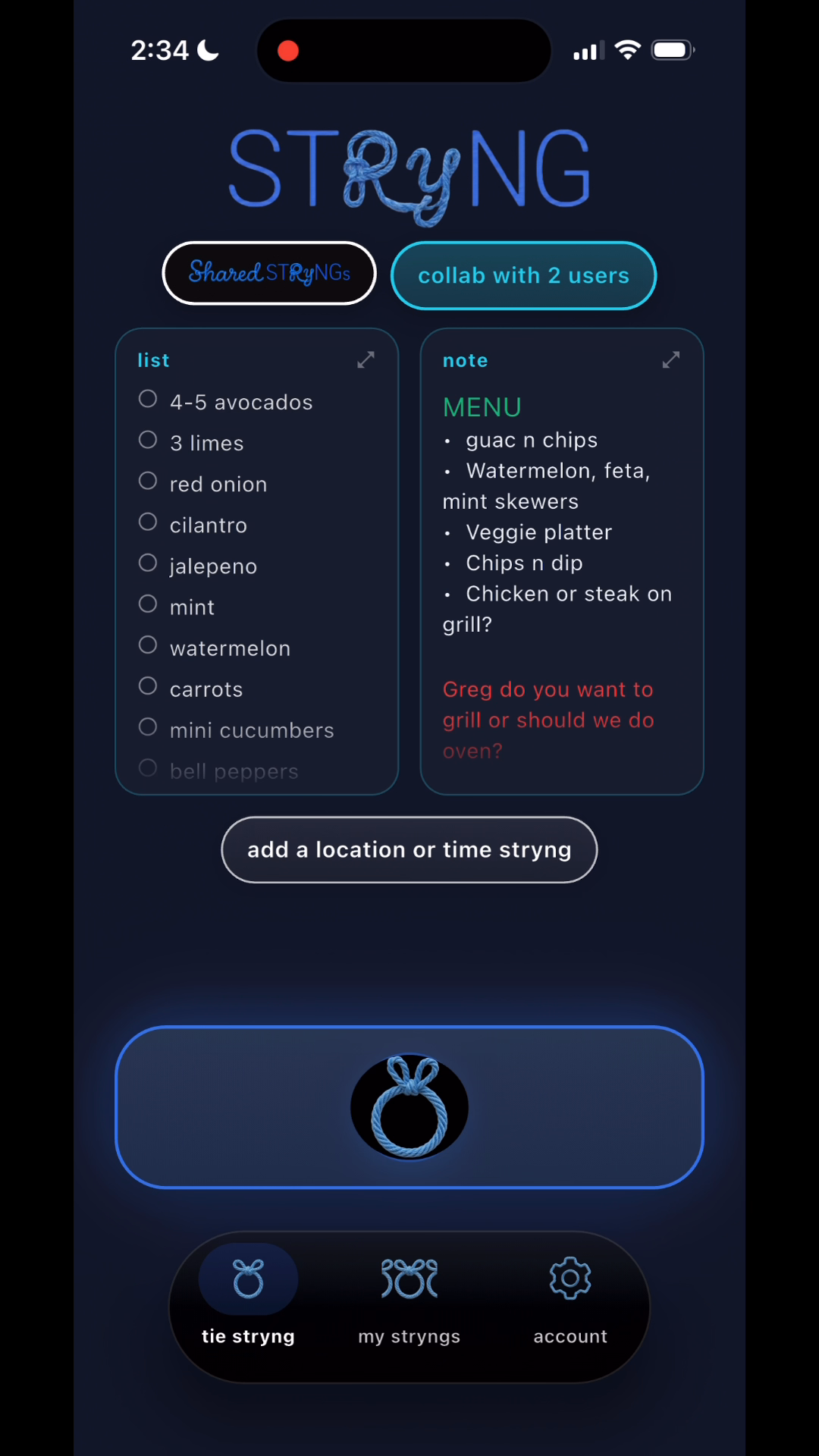
Planning dinner together? Keep the grocery list, menu notes, and conversation together, then add location-based alerts to the shared plan.
STRyNG brings shared reminders, lists, and notes into one place with a dedicated chat. Your people can work from the same plan, with location nudges to bring it back into focus.

Tie a stryng for someone else.
Tie reminders for close friends and family through STRyNG’s sharing features. The reminder reaches them through the app, so the next step doesn’t have to be another “texting to remind you.”
04 / INTELLIGENT LOCATION, AT WORK
A useful nudge.
A thoughtful approach.
Understand when a place matters.
STRyNG’s location models consider a place and its surroundings to help determine when it becomes relevant to your plans. Roads, intersections, and nearby destinations help shape what “nearby” means.
How connected-location worksKeep background activity light.
Battery life is a core consideration. Our models maintain a high-level understanding of where you are and reserve brief, precise checks for moments of relevance. This selective approach minimizes battery drain while keeping reminders timely and relevant.
Privacy is a core consideration, too. Read our privacy policy for how location and shared information are used.
05 / A LITTLE MORE CLARITY
Location reminders,
explained.
Practical answers before you tie your first stryng.
What is a location-based reminder?
A location-based reminder uses a place and a trigger—such as being nearby, arriving, or leaving—to help decide when to nudge you. In STRyNG, you connect the thing you want to remember to the place where it becomes relevant.
Can STRyNG remind me when I get home?
Yes. Choose an arrival reminder and select your home location. With the required permissions in place, STRyNG can surface your reminder as you arrive, even when the app is closed.
Do location reminders work with the app closed?
Yes! With the required permissions in place, your STRyNG reminders surface even when the app is closed. Our location models maintain a high-level understanding of where you are in the background, switching to brief, precise checks when a place becomes relevant.
Can I share location reminders with friends and family?
Yes. Use STRyNG’s sharing features to collaborate on reminders, lists, and notes with a dedicated chat, and add location-based alerts to shared plans. You can also tie reminders for close friends and family. Recipients use STRyNG and need the required permissions for background location alerts.
How does STRyNG approach battery life?
Battery life is a core consideration in how we build STRyNG. Our location models keep background activity light and reserve precise location checks for brief moments of relevance, minimizing battery drain without tracking your precise location every second of the day.
Is STRyNG available for iPhone?
Yes. Download STRyNG from the App Store. The listing has current device requirements and availability.
THE FUTURE OF CONNECTED-LOCATION.
Start with a thought.
Tie a stryng.
Connect your people, places, and plans with STRyNG.
Download for iPhone